Indicator 01 of 06
Trend Tracker
Never trade against the trend again
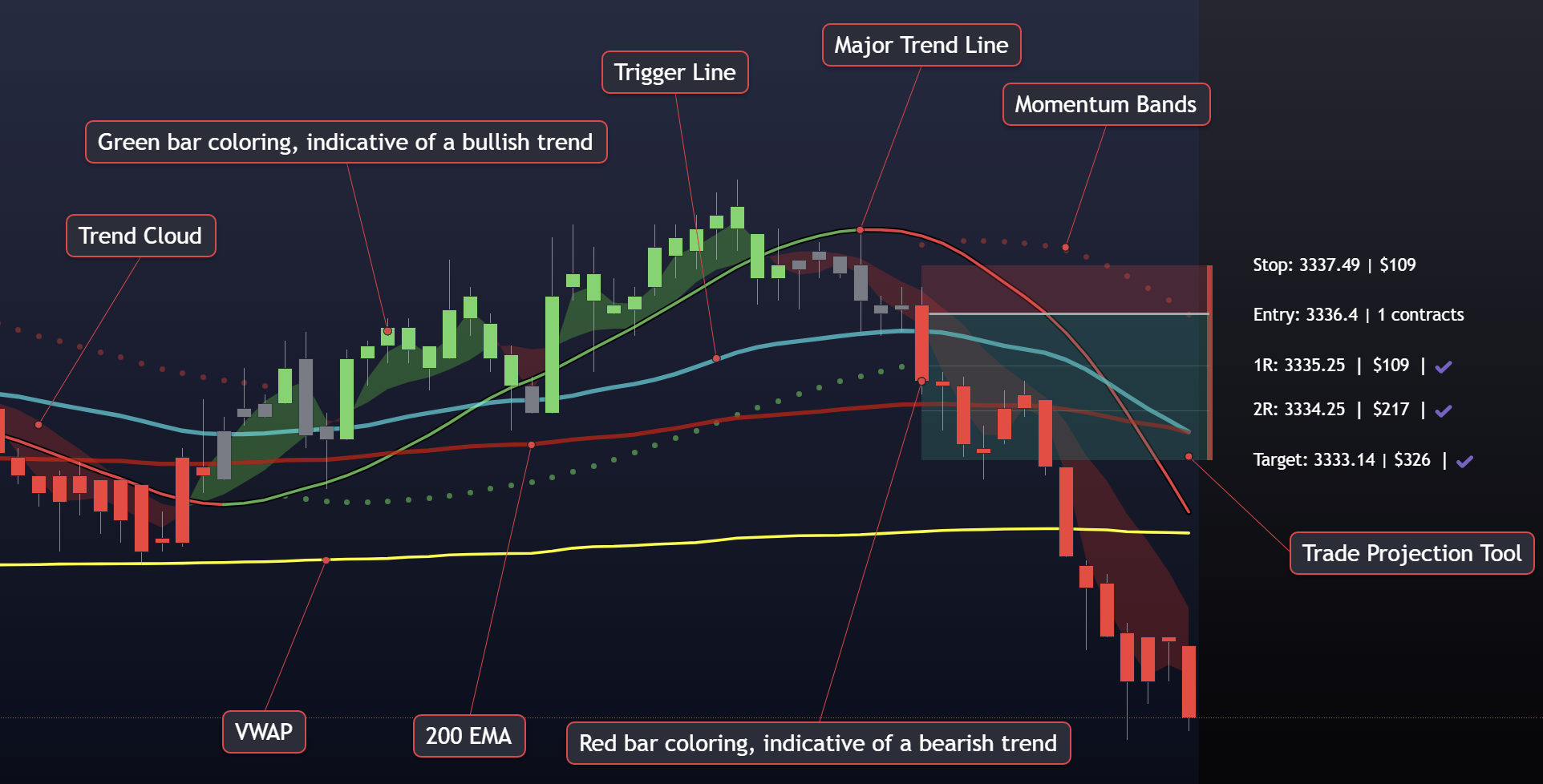
Trend Tracker is the core of the FF system, a real-time confluence engine that tells you which side of the market has control, when that control shifts, and exactly when to act. It fills in the gaps that individual indicators miss, so you're never caught going counter-trend without knowing it.
On the chart
What it does
- The Trigger Line
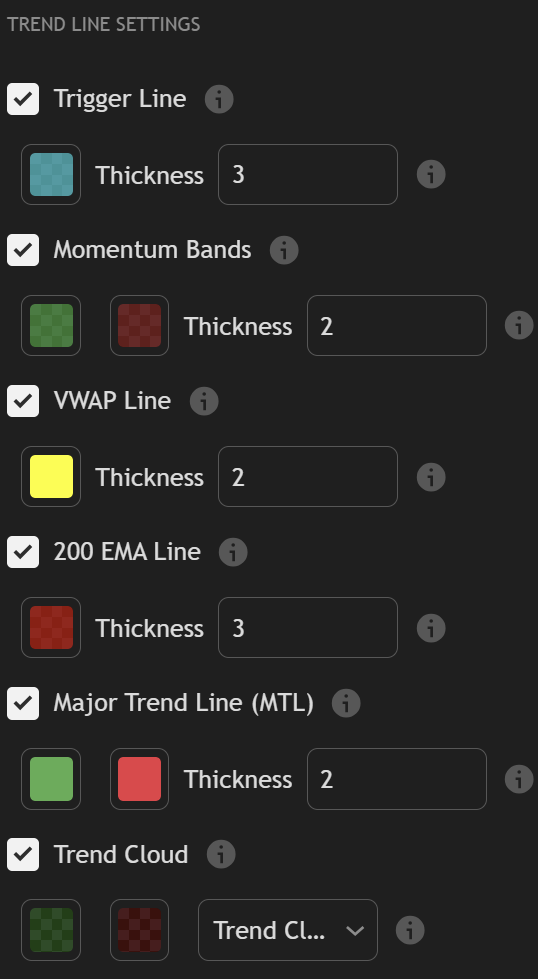
- The Trigger Line is the heart of Trend Tracker, and the primary entry signal for the entire FF system. It fires when momentum flips in the direction of the prevailing trend, giving you a precise, actionable moment to enter rather than guessing at price. When the Trigger Line signals and the rest of the system agrees, that's your trade.
- Trend Cloud
- A shaded background that makes trend direction impossible to miss. Green cloud means buyers are in control. Red cloud means sellers. Gray means the market is in a range and no one has the edge, a direct signal to stand aside and wait.
- Bar Coloring
- Every bar on your chart is colored in real time based on trend state, green for bullish, red for bearish, gray for chop. Most responsive on shorter timeframes, it acts as an always-on visual filter that keeps you from taking trades in the wrong direction.
- Trade Projection Tool
- Visualize stop-loss, entry, and R-multiple targets plotted directly on your chart before you're in the trade. Automatic risk/reward calculation removes the mental math so you can focus on execution, not arithmetic.
- Forecast Window
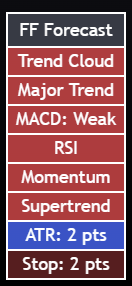
- An on-chart panel that aggregates ATR-based volatility bands, momentum, and RSI readings in one view. See potential targets and conviction levels at a glance, built for planning your trade before you enter, not after.
FAQ
Trend Tracker
questions
- What does the Trend Tracker indicator do?
- Trend Tracker is a confluence-based trend indicator for TradingView. It reads which side of the market has control, shades the chart with a trend cloud, colors each bar by trend state, and fires a Trigger Line when momentum flips in the direction of the prevailing trend. It also plots entry, stop-loss and R-multiple targets so you can size a trade before you take it.
- What is the Trigger Line?
- The Trigger Line is Trend Tracker's primary entry signal and the main entry signal for the whole Futures Forecasters system. It fires when momentum flips in the direction of the prevailing trend, which gives you a specific moment to act on instead of estimating an entry by eye.
- How do I know when to stay out of a trade?
- When the trend cloud turns gray, the market is ranging and neither buyers nor sellers hold the edge. Gray bars carry the same message. Both are a direct signal to stand aside rather than force a trade.
- Does Trend Tracker calculate risk and reward for me?
- Yes. The Trade Projection Tool draws your stop-loss, entry and R-multiple targets directly on the chart and works out the risk-to-reward ratio automatically, so the arithmetic is done before you enter.
The rest of the suite
Trend Tracker does not
work alone.
Each of the six indicators answers a different question. Together they cover trend, levels, momentum and confirmation on the same chart.
Get Trend Tracker and
the full suite.
All six TradingView indicators, the members portal and the Discord community, with a 10-day free trial.